Features
Sea of Thieves Mod Menu Guide
Players say mod menu when they mean the in-game overlay that lets you flip ESP, aim assist, and radar without restarting the client. Here is what each toggle does and which ones to leave off by default.
Get Access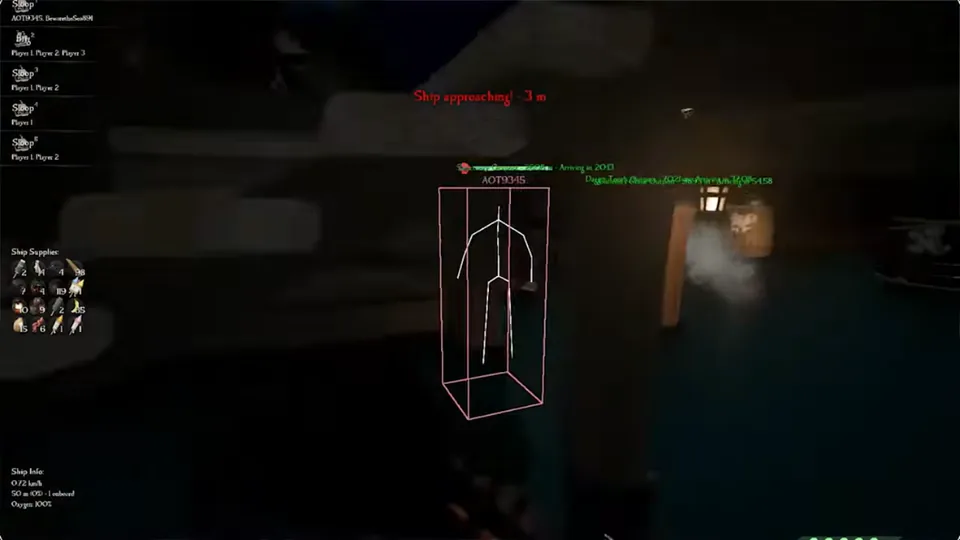
Core mod menu categories
Player ESP: skeletons, boxes, distance. Ship ESP: vessels, alerts, crew tags. Radar: 2D threat ring. Aim: soft aim profiles and cannon trajectory. Each category should have master toggles plus sub-filters.
Start with player and ship ESP off, radar on, aim off — then enable what the session needs.
Full menu map: Features · Mod menu FAQ: what is a mod menu.
Hotkeys and stream-safe profiles
Bind panic-off to one key that disables all overlays for clips or screenshots. Bind profile swap for sailing vs island combat.
Save stream-safe presets with radar only or ship ESP only if you create content.
Setup walkthrough: install guide · Support: help desk.
After patches — reset your menu once
Client updates can reset offsets. Re-import defaults from Updates, then reapply your profiles instead of guessing slider positions.
Buy once: Sea of Thieves Cheats includes the full mod menu with EAC maintenance.
Mod menu hygiene after every patch
Export your profiles before client updates. Re-import defaults from Updates, then layer your custom toggles back on.
First-time buyers: Setup · Feature map: Features · FAQ: what is a mod menu.
Official game guides & resources
We link to trusted third-party sources so you can verify patch notes, player stats, and map info outside our site.
- Sea of Thieves on PC Official store page, system requirements, and player reviews.
- Sea of Thieves patch notes & news Read official update posts before you change your loadout.
- Official Sea of Thieves website Game overview from Rare.
- Sea of Thieves Wiki (Fandom) Player stats, maps, and pirate abilities.
- Sea of Thieves community hub Announcements and community discussions.